100% Undetected
Our software is private and undetected.
Windows 10 All versions
Windows 11 All versions
Including Windows 11 25H2, 26H1 & 26H2 supportUpdated 7 hours ago
Our software is private and undetected.
We update our software very frequently.
12,847+ satisfied customers worldwide.
Steam
Windows 10 / Windows 11
All versions including 24H2 & 25H2Intel / AMD
Latest version supported
Regular updates after patchesFury Services Rust External is a private Rust software built for players who want stable performance, clean visuals, and powerful ESP features in one lightweight loader.
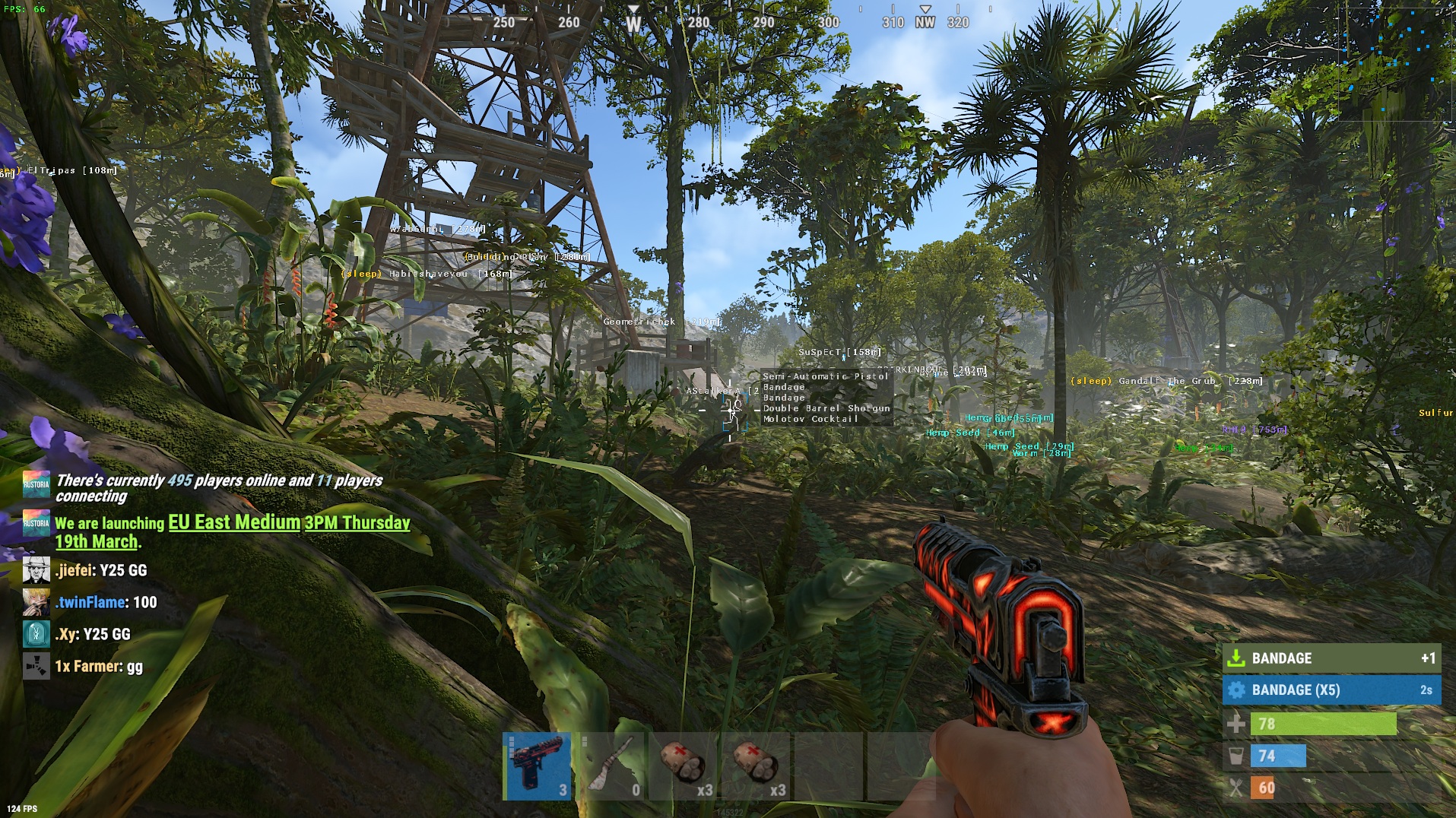
Player ESP helps you track enemies, sleepers, corpses, distance, skeletons and inventory information, giving better awareness during fights, roaming and base defense.
Object ESP makes looting, farming and raiding much easier by showing crates, boxes, stashes, tool cupboards, traps, sulfur, metal, stone, vehicles and other important objects around the map.
With radar, custom distance settings and regular updates, Rust External is designed for a smooth and reliable software experience. Visit the Fury Services main catalog to explore all available products and latest updates.
After payment, the product will be delivered instantly to the email address you entered during checkout.
After purchasing a subscription, download the loader from your personal dashboard, run it as administrator, log in, and press “Load”. The menu opens in-game by pressing the DELETE key.
Create a ticket in our Discord server. Average response time is under 15 minutes. We will help you with installation, setup, and any other questions.